S3 Compatible Connector
The S3 connector works with AWS S3 and S3-compatible storage services like MinIO, DigitalOcean Spaces, and others.
Prerequisites
For AWS S3:
- An AWS account with S3 access
- IAM user with appropriate S3 permissions
- Access Key ID and Secret Access Key
For S3-compatible services:
- Account with the storage provider
- Access credentials
- Endpoint URL information
Setting up AWS S3 Access
- Go to the AWS IAM Console
- Create a new IAM user or use an existing one
- Attach the following policy (or create a custom one):
{
  "Version": "2012-10-17",
  "Statement": [
    {
      "Effect": "Allow",
      "Action": [
        "s3:GetObject",
        "s3:ListBucket",
        "s3:GetBucketLocation"
      ],
      "Resource": [
        "arn:aws:s3:::your-bucket-name",
        "arn:aws:s3:::your-bucket-name/*"
      ]
    }
  ]
} - Create access keys for the user
- Note the Access Key ID and Secret Access Key
Configuration Fields
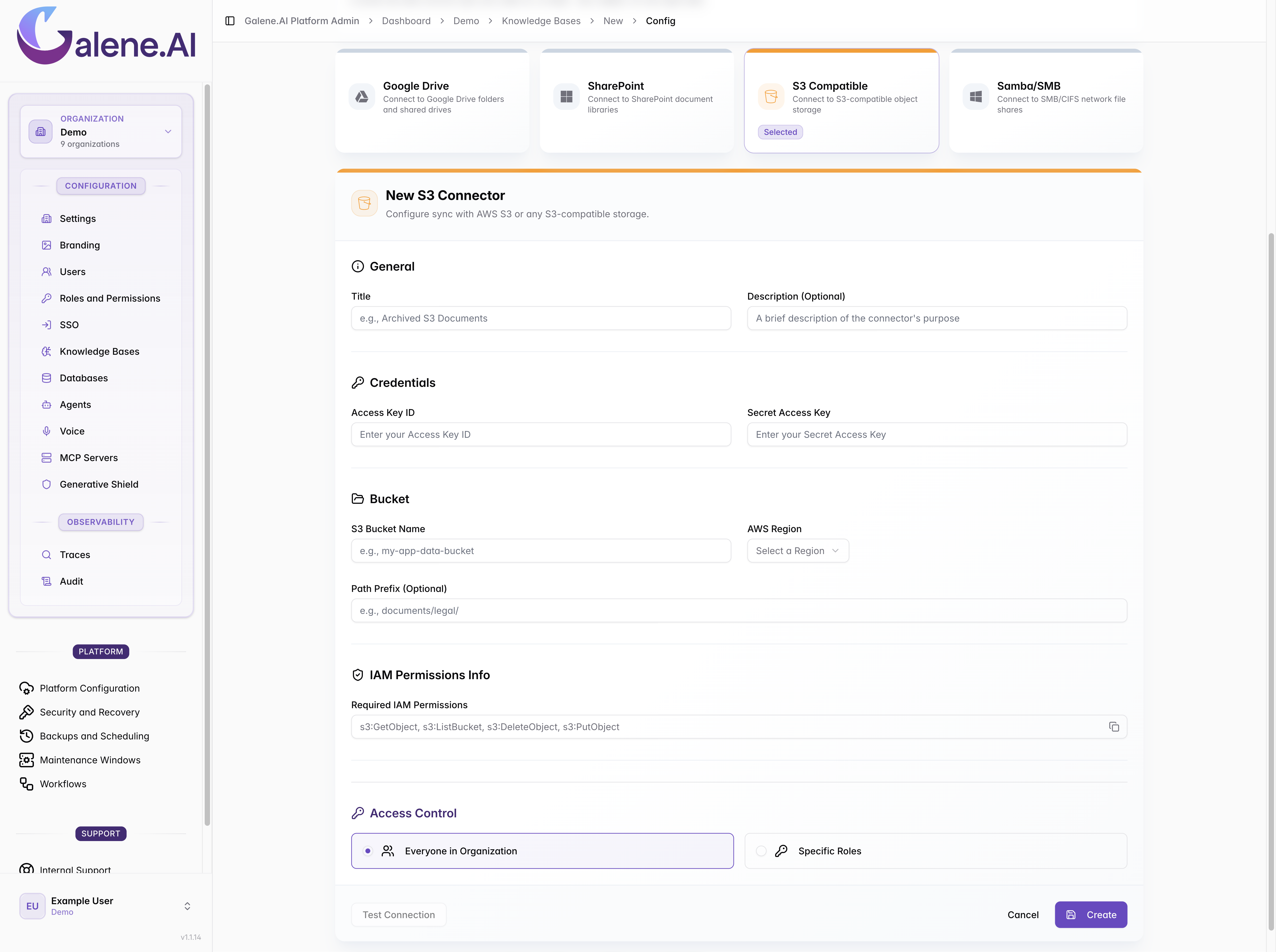
Required Fields:
- Title: A descriptive name for your connector
- Description: Optional description
- Access Key ID: Your S3 access key ID
- Secret Access Key: Your S3 secret access key
- S3 Bucket Name: Name of the S3 bucket to access
- AWS Region: The AWS region where your bucket is located
Optional Fields:
- Path Prefix: Limit access to a specific folder path within the bucket
- Required IAM Permissions: Auto-generated based on your configuration
Selecting AWS Regions
Common AWS regions include:
us-east-1(US East - N. Virginia)us-west-2(US West - Oregon)eu-west-1(Europe - Ireland)ap-southeast-1(Asia Pacific - Singapore)
For S3-compatible services, check your provider's documentation for the correct region format.