Standard Filters
Standard Filters provide pre-configured content moderation based on established categories and risk levels. These filters are organized according to EU AI Act categories and cover the most common content moderation needs.
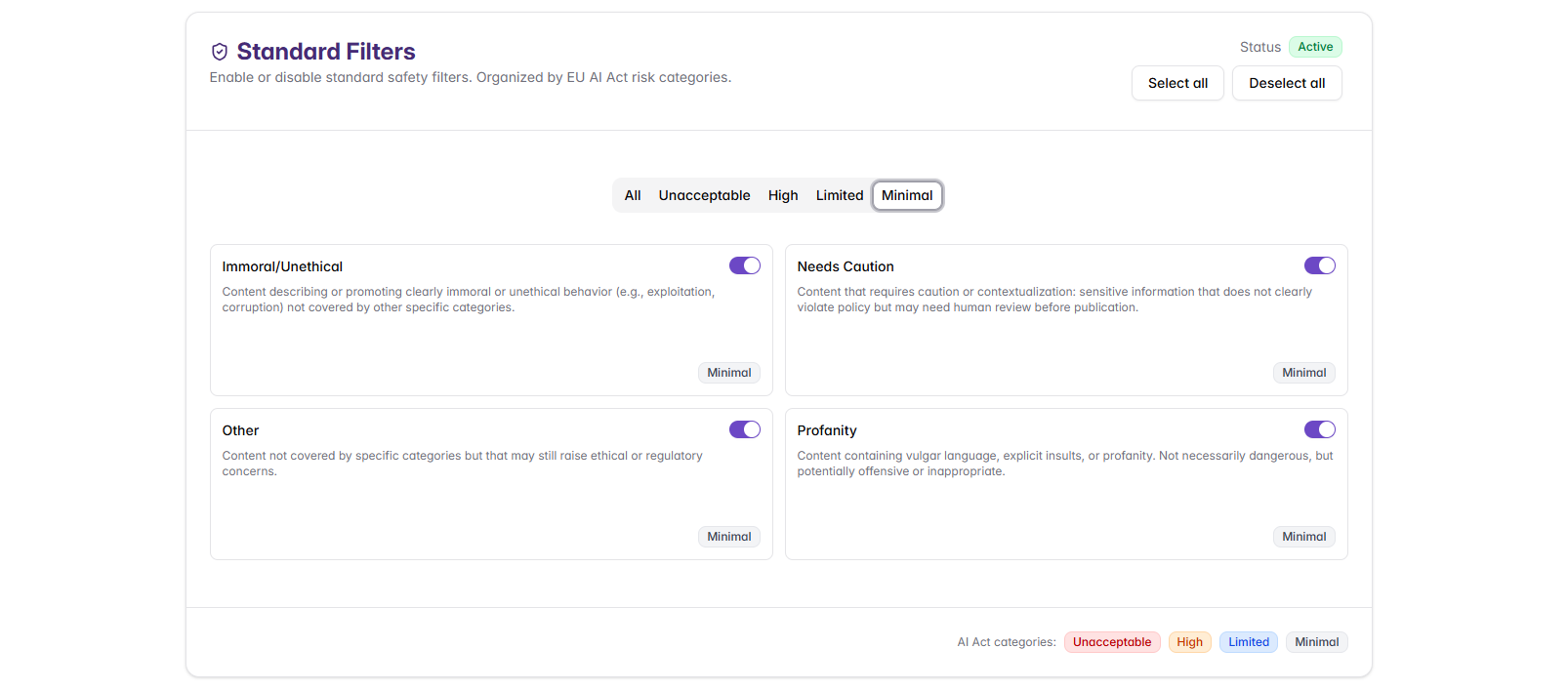
Filter Categories Overview
The standard filters are organized into risk-based categories aligned with the EU AI Act's risk-based approach to AI regulation. These categories help organizations implement appropriate content controls based on risk severity:
- All: Select or deselect all filter categories at once
- Unacceptable: Content that poses unacceptable risk and is completely prohibited
- High: High-risk content that could adversely impact safety or rights and should typically be blocked
- Limited: Content with limited risk that may be acceptable in some contexts with appropriate safeguards
- Minimal: Low-risk content that generally requires minimal restriction
Managing Standard Filters
Quick Actions
- Select all: Quickly enable all standard filters
- Deselect all: Quickly disable all standard filters
Individual Control
Each filter can be toggled on/off using the switches next to each category name.
Category Selection
Use the category buttons (All, Unacceptable, High, Limited, Minimal) to quickly select groups of filters based on risk level.
Common Issues
Over-Blocking: Disable overly strict categories temporarily, and review blocked content logs. The blocking message will indicate which specific filter was triggered, helping you identify the filter causing the issue.
Under-Blocking: Enable additional categories that are currently disabled, and consider custom filters for specific issues not covered by standard filters.
Integration with Other Shield Components
Standard Filters work in conjunction with:
- Custom Filters: Organization-specific rules that complement standard categories
- Cybersecurity Protection: Security-focused filtering that works alongside content moderation
- Shield Settings: Basic configuration that determines how standard filters are applied
Next Steps
After configuring Standard Filters:
- Create Custom Filters for organization-specific needs
- Enable Cybersecurity Protection for security threats
- Test your complete configuration using Management and Testing tools
- Monitor and adjust filters based on real-world performance