Security & Recovery
Security & Recovery provides vault management and encryption key handling for the Galene AI Platform.
Super Admin features are exclusively available to users with system configuration privileges. These tools allow you to configure platform-wide settings that affect all organizations and users on the system.
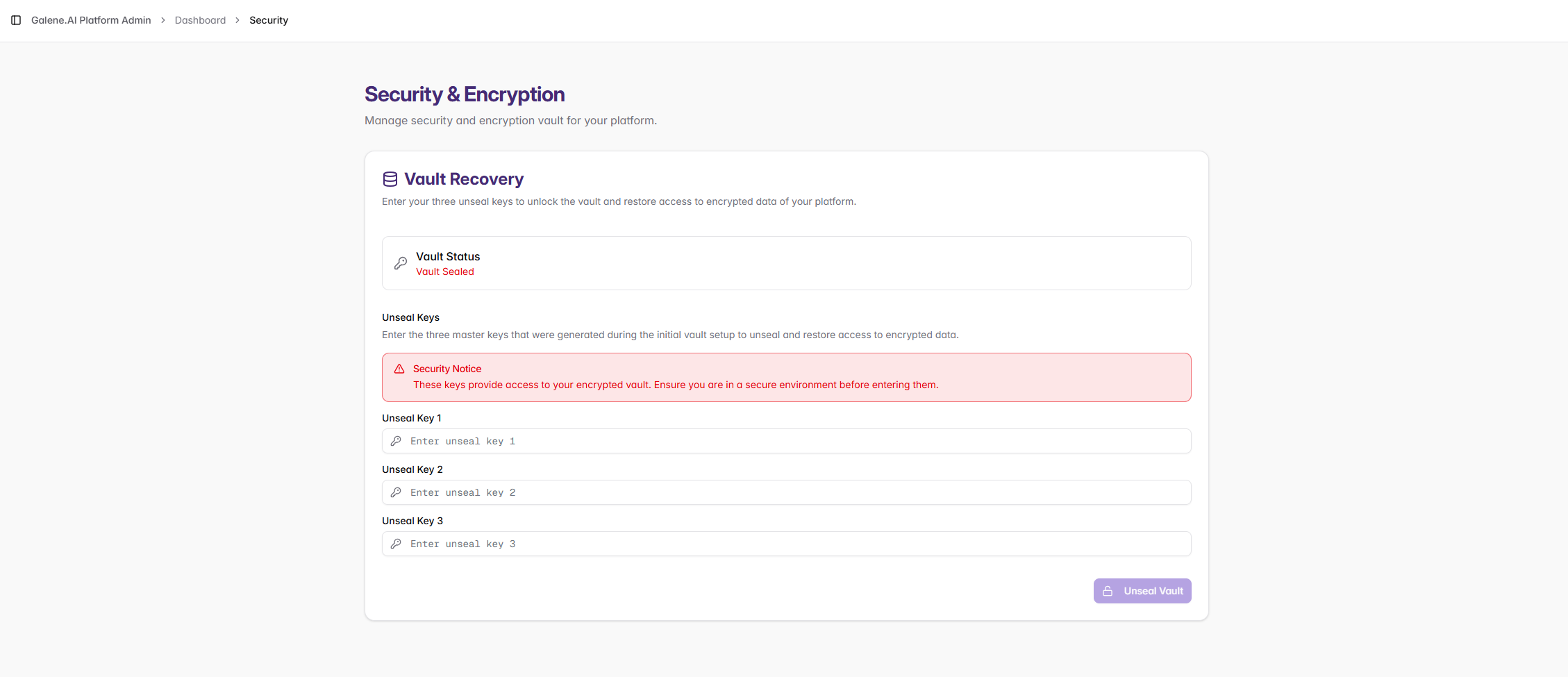
Vault Recovery
The vault stores sensitive encryption keys and secrets. When sealed, the vault is locked and encrypted data cannot be accessed. Unsealing requires entering three master keys simultaneously to prevent single-point-of-failure scenarios.
Unsealing the Vault
Only perform vault operations in a secure environment with proper authorization. Never unseal the vault where unauthorized personnel can observe the process.
To unseal the vault:
- Verify you have all three unseal keys available
- Ensure you're in a secure, private environment
- Enter all three keys in the provided fields
- Click "Unseal Vault"
- Verify the vault status shows as "Unsealed"
Post-unsealing verification:
- Confirm platform services requiring encrypted data are operational
- Monitor for any security alerts or unusual activity
- Log the unsealing event for audit purposes
Secure Storage: Store unseal keys in secure, separate locations
Access Control: Limit key access to authorized personnel only