Platform Configuration
Configure essential infrastructure settings for your Galene AI Platform deployment: SMTP for system-wide email services and Domain & SSL for custom domain management.
Super Admin features are exclusively available to users with system configuration privileges. These tools configure platform-wide settings that affect all organizations and users.
Overview
- Domain & SSL Configuration: Custom domains and SSL certificates for secure platform access
- SMTP Configuration: Email services for system notifications, user communications, and platform alerts
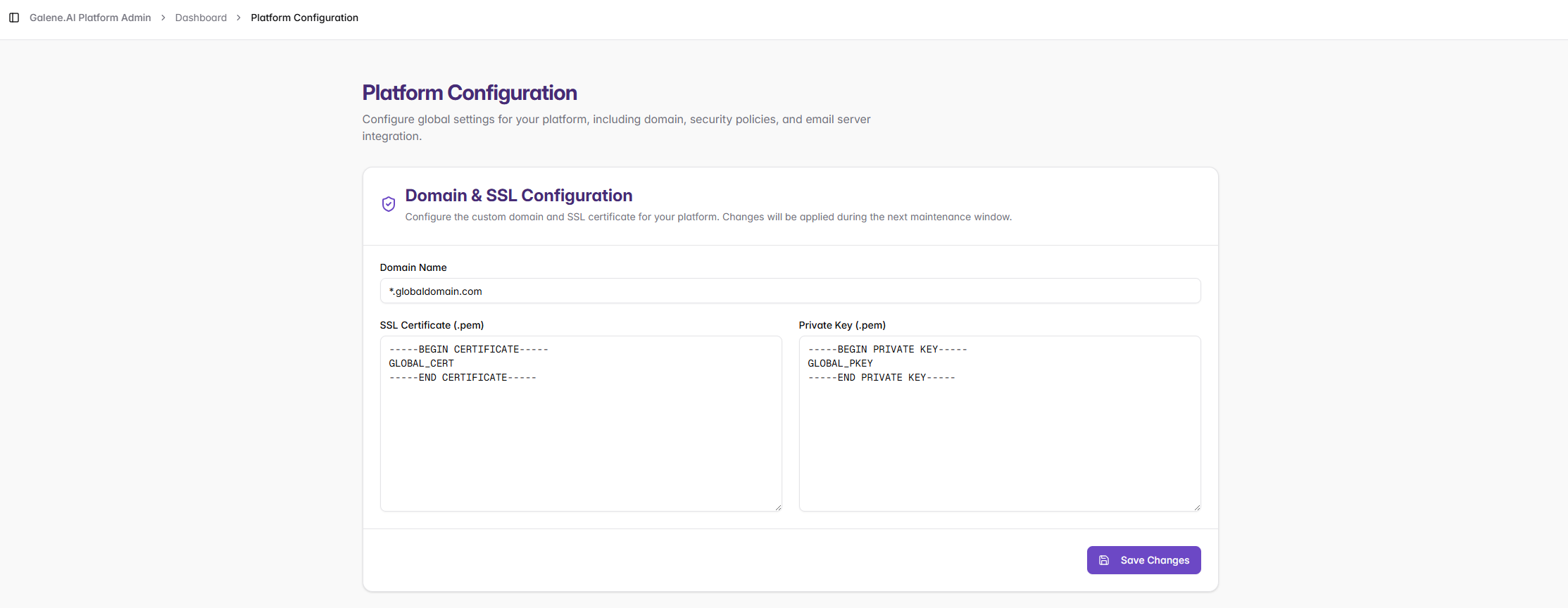
Domain & SSL Configuration
Configure custom domains and SSL certificates for secure platform access.
Requirements
- Certificate Format: Must be PEM format with the complete certificate chain (domain certificate → intermediate certificates → root certificate)
- Certificate/Domain Match: Certificate must exactly match your domain name (wildcards
*.domain.comsupported) - Private Key: Must be unencrypted (no passphrase) and correspond to the SSL certificate
- DNS Configuration: Ensure DNS records point to your platform before configuration
Important Notes
- DNS propagation can take up to 48 hours for global resolution
- The platform validates certificate format and domain match on save
- Private keys with passphrases will be automatically rejected
SMTP Configuration
Configure SMTP to enable platform email functionality: user notifications, password resets, system alerts, and administrative communications.

Recommended Port Settings
- 587 - TLS/STARTTLS (recommended)
- 465 - SSL/TLS
- 25 - Unencrypted (not recommended for production)
Security Best Practices
- Use app-specific passwords when available (e.g., Gmail App Passwords) rather than main account passwords
- Whitelist your platform's IP address with your SMTP provider
- Ensure firewall rules allow outbound connections on the configured port
Important Limitations
Sender Email: The sender email can differ from the username only if your SMTP server permits it. Many providers require the "From" address to match the authenticated username. If emails fail to send, verify your SMTP provider allows the configured sender address.
Test Connection: Use the "Test Connection" button to validate your configuration before saving.