Maintenance & Update
Configure scheduled maintenance windows for platform updates. Set the start time (UTC) and allowed days to minimize disruption during system updates.
Super Admin features are exclusively available to users with system configuration privileges. These tools allow you to configure platform-wide settings that affect all organizations and users on the system.
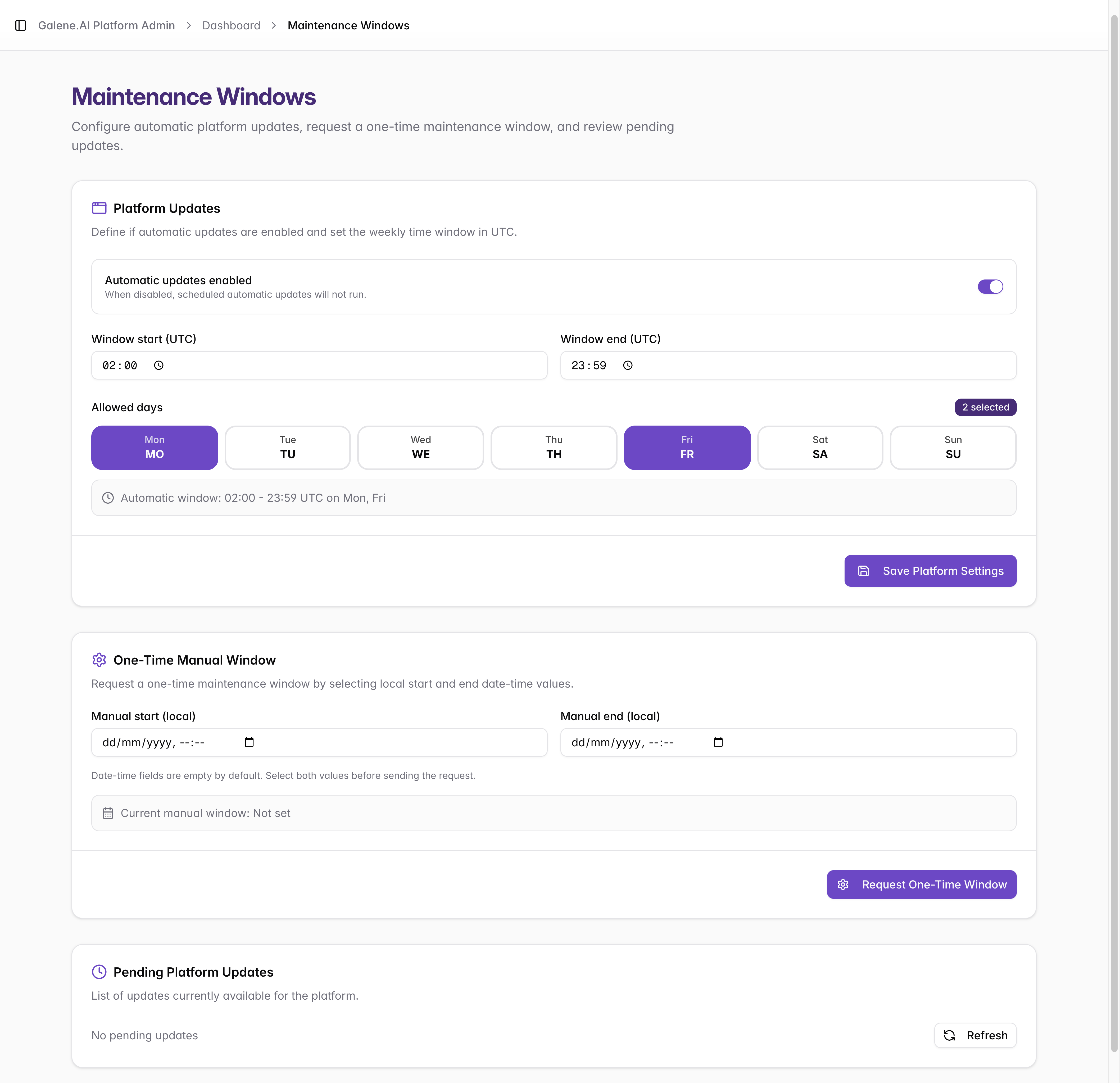
Platform Updates
Manage system-wide maintenance windows for core platform infrastructure. Use these settings to automate core infrastructure maintenance. When an update is released, the system will apply it during the next available window that meets your criteria.
- Automatic updates: Define if automatic updates are enabled
- Start Time (UTC): When the maintenance window begins
- Allowed Days: Select which days maintenance can occur (Mon-Sun)
- Affects entire platform infrastructure
- May cause temporary unavailability for all users
One-Time Manual Window
For urgent or non-recurring updates that fall outside your standard schedule, you can request a specific one-time window. Unlike recurring updates, manual windows are defined using the local time of the administrator.
- Manual Start (local): When the maintenance window begins
- Manual End (local): When the maintenance window ends
Pending Platform Updates
This section displays a real-time queue of available updates. Use this list to review version readiness status before they are applied during your next scheduled window.
Maintenance Windows ensures your Galene AI Platform maintenance activities are well-coordinated, minimize user disruption, and maintain high system availability and reliability.